
JapanClockWidget2.14 - Google Play
You'll be able to see results in few seconds.
Publisher Description
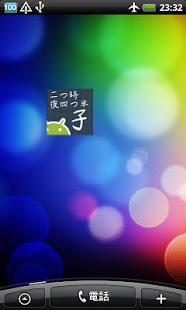
A Japanese clock is a traditional clock which requires the temporal hour system
(the zodiac hour system which labels times of a day) used in the Edo period in
Japan.
This widget tells you the temporal hour system (the zodiac hour system) in Japanese
characters.
Timekeeping varies with the seasons i.e. the length of a day; six daytime units from
sunrise to sunset and six night time units from sunset to sunrise are used in the temporal
hour system (the zodiac hour system), or Japanese traditional timekeeping practices.
You will find a special timetable in the setting screen of this Japanese clock widget to
check the comparison between the traditional temporal hour system and the modern
hour system.
[Notes]
The possible sunshine duration varies with geographical areas.
The default setting is “Tokyo”.
You may need to change the setting from the setting screen of the widget when you live
in any city except Tokyo.
You can also select a foreign city.
[Customization operation]
You will be able to change the following things.
- Font
- Color (for font and background)
- Size
- Position of fonts *Drag the fonts to move.
[Authorities used in this widget]
The following authorities are used to show advertisings.
- Internet access
- Acquisition of the network condition
[Special thanks]
My wife's friends Saori, the translator of JapanClockWidget.
About JapanClockWidget
The company that develops JapanClockWidget is Dchssk. The latest version released by its developer is 2.14.
To install JapanClockWidget on your Android device, just click the green Continue To App button above to start the installation process. The app is listed on our website since 2012-06-29 and was downloaded 0 times. We have already checked if the download link is safe, however for your own protection we recommend that you scan the downloaded app with your antivirus. Your antivirus may detect the JapanClockWidget as malware if the download link to jp.dchssk.labs.jclockwidget is broken.
How to install JapanClockWidget on your Android device:
- Click on the Continue To App button on our website. This will redirect you to Google Play.
- Once the JapanClockWidget is shown in the Google Play listing of your Android device, you can start its download and installation. Tap on the Install button located below the search bar and to the right of the app icon.
- A pop-up window with the permissions required by JapanClockWidget will be shown. Click on Accept to continue the process.
- JapanClockWidget will be downloaded onto your device, displaying a progress. Once the download completes, the installation will start and you'll get a notification after the installation is finished.
Program Details
System requirements
Download information
Pricing
Version History
version 2.14
posted on 2012-06-29
[v2.14]Add a "Jishou".,[v2.13]Was to adjust the settings of solar altitude.,[v2.12]civil twilight time has been changed to the standards of the time.,[v2.12]Was added to the widget configuration screen animation ON / OFF.,[v2.12]Guise of early summer has been changed to the color scheme.,[v2.11]bug fix.,[v2.1]Has been modified to generate the animation when the time changes.
version 2.14
posted on 2012-06-29
Several fixes and updates
Disclaimer
Official Google Play Link
We do not host JapanClockWidget on our servers. We did not scan it for viruses, adware, spyware or other type of malware. This app is hosted by Google and passed their terms and conditions to be listed there. We recommend caution when installing it.
The Google Play link for JapanClockWidget is provided to you by apps112.com without any warranties, representations or guarantees of any kind, so access it at your own risk.
If you have questions regarding this particular app contact the publisher directly. For questions about the functionalities of apps112.com contact us.
